
How to Log Out of All BassWin Devices Remotely
Maintaining control over your online casino account is a cornerstone of responsible gaming. If you’ve logged into your BassWin casino account on a shared computer, a friend’s device, or you’ve simply lost your phone, knowing how to remotely terminate all active sessions is a critical security feature. This guide provides a clear, step-by-step walkthrough to instantly log out of all devices, ensuring your account and any potential BassWin bonus funds remain secure.
Why Remote Logout is a Crucial Security Feature
Remote logout is your first line of defense against unauthorized access. Perhaps you were trying out a new game using a BassWin no deposit offer at an internet café and forgot to sign out. Or maybe your device was stolen. Any active session means someone could potentially access your account, make wagers, or even request withdrawals. By forcing a universal logout, you immediately invalidate all login tokens on every device, protecting your balance and personal information. It’s a simple process that offers immense peace of mind.
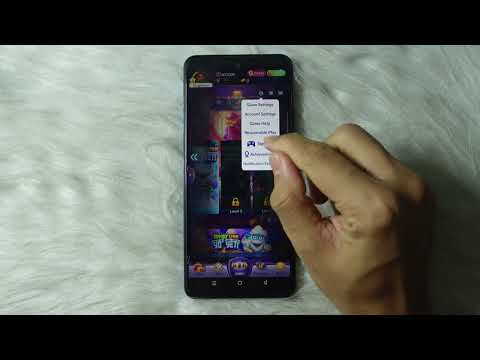
Step-by-Step Guide to Securing Your Account
Follow these exact steps to log out of all devices associated with your BassWin account. The process is straightforward and takes less than a minute.
- Open your preferred web browser and navigate to the official BassWin website. It is vital you type the URL directly to avoid phishing sites.
- Click on the ‘Login’ button and enter your username and password to access your account.
- Once logged in, navigate to your account settings or profile section. This is typically represented by your username or an icon in the top-right corner of the screen.
- Look for a menu option labeled “Security,” “Device Management,” or “Active Sessions.”
- On this page, you will find a list of devices currently logged into your account, including details like device type, browser, and approximate location.
- Find and click the button that says “Log Out of All Other Devices,” “Terminate All Sessions,” or something similar.
- Confirm your choice in the pop-up dialog box. Your account will now be logged out on every device except the one you are currently using.
https://www.youtube.com/watch?v=mnemVEccxCw
What to Expect Immediately After Logging Out
The logout command executes instantly. You will receive an on-screen confirmation from BassWin that the action was successful. Anyone using your account on another device will be immediately redirected to the login page if they try to perform any action. They will not be able to place any further bets or access your account details without re-entering your password. It is recommended that you change your password immediately after performing a remote logout for an added layer of security, especially if you suspect your account was compromised.
| Problem | Likely Cause | Solution |
|---|---|---|
| Cannot find the ‘Log Out of All Devices’ option | The feature might be located under a different menu name or may not be available on the mobile app. | Access your account via the desktop website. Check all sub-menus in your account settings thoroughly. |
| Error message when trying to logout | Temporary server-side issue or a poor internet connection. | Refresh the page and try again. If the problem persists, contact customer support. |
| Still seeing active sessions after logout | Browser cache displaying old data or a slight delay in the system update. | Clear your browser cache and refresh the page. The session list should update to show only your current device. |
Integrating Security with Responsible Gaming
Using features like remote logout is a key part of a holistic responsible gaming strategy. It empowers you to maintain absolute control over your account access. BassWin promotes this responsible approach, ensuring players can enjoy their experience safely. Remember, security tools are most effective when combined with personal vigilance. Always log out from public devices manually when possible, use strong and unique passwords, and never share your login details, not even with friends or family. For moments when you need a break, consider using the site’s built-in self-exclusion tools alongside this security measure.
Beyond Logout: Protecting Your Bonus Offers
Securing your account also protects any active promotions. An unauthorized user could easily wager through and void a valuable BassWin bonus or use up your BassWin free spins. If you were planning a quiet evening of gaming, perhaps after you order-flowers.co.uk for a special occasion, the last thing you need is to find your bonus funds gone. By remotely logging out, you safeguard not just your deposit but also any promotional credits attached to your account. Always check the terms and conditions, as some offers like those requiring a specific BassWin promo code may have wagering requirements that need to be met within a set time frame.
Taking a few seconds to perform a remote logout can prevent significant stress and potential loss. It is one of the most powerful and underutilized security features available to players at BassWin and other modern online casinos. Make it a habit to check your active sessions regularly, especially after accessing your account from a new or public device.